WiseCord
Getting Started with WiseCord: A Complete Guide

To get started with WiseCord, download the Android APK from the official site, allow installation from unknown sources, install the app, sign in with the Discord account you already use, then pick the servers you want to track. From there you can export member lists to Excel or CSV and switch on real-time join alerts. The whole setup takes only a few minutes.
This guide is written for Discord community operators, moderators, and marketers, especially anyone running a paid community such as crypto or trading signals, sports picks, coaching, or forex, who needs a reliable way to see who joins their server and to keep a working copy of their membership. Below we walk through each step, explain what to expect, and answer the questions most new users ask.
What WiseCord is (and what it isn't)
WiseCord is a mobile app for Discord community management. Its core job is to help you extract and export member data and stay notified about server activity without sitting glued to the Discord app all day. Concretely, it can:
- Export member lists to Excel (.xlsx) or CSV, with one-tap copying of usernames.
- Send real-time join alerts as push notifications when someone new joins a server you monitor.
- Monitor around the clock (Pro) using cloud monitoring that keeps tracking joins even when the app is closed or your phone is off.
- Help you discover servers by browsing Discord communities by category.
- Search messages (Pro) across the servers you have access to.
It is worth being clear about the boundaries too. WiseCord is currently an desktop and Android app, and it works with the servers and members that your own account can already see. It is not a magic backdoor into private data, and it does not bypass Discord's protections. That honesty matters, because it also shapes what you should realistically expect from your first export.
Step 1: Download the APK
Head to the official download WiseCord page and grab the latest APK. WiseCord is distributed directly rather than through the Google Play Store, which is normal for tools in this category. Because the file is hosted directly, the download page also links a VirusTotal scan so you can verify the file before you install it. If you are cautious about sideloaded apps (you should be), take thirty seconds to check that link first.
Step 2: Install the app
Android blocks installs from outside the Play Store by default, so you will need to allow installation from unknown sources. On modern Android versions you are usually prompted the first time you open an APK, and you simply toggle permission for your browser or file manager to install it, then confirm. Once that is enabled, tap the downloaded file and follow the standard install prompt. If nothing happens when you tap the APK, open your file manager, find it in your Downloads folder, and tap it there instead.
Step 3: Sign in with your Discord account
Open WiseCord and connect the Discord account you want to work from. The app loads the servers that account belongs to, which is why the very first thing to understand is that WiseCord only ever sees what your account sees. If you are not a member of a server, it will not appear; if you cannot read a channel in the Discord app, WiseCord cannot read it either.
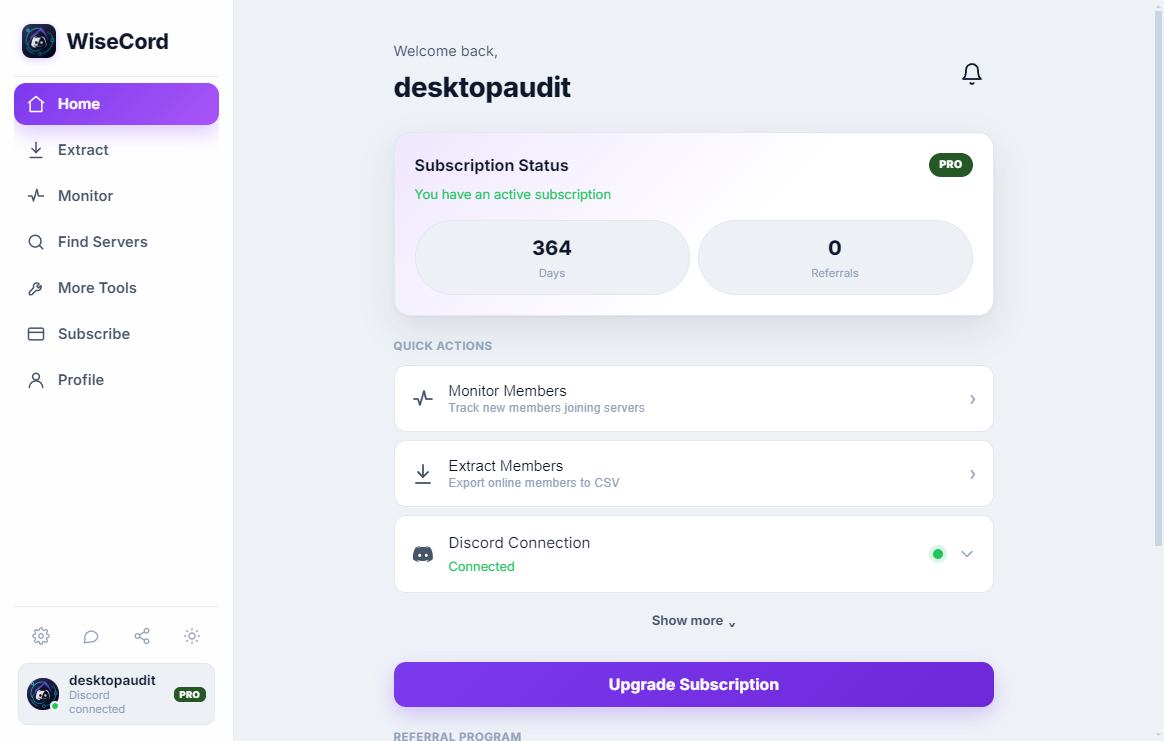
This is also the right moment to think about account safety. WiseCord includes a deliberately unhurried pace and is designed to behave like a normal Discord client rather than hammering the service with requests. That is deliberate, and it is why very large servers take longer to process. If you want the full reasoning here, our guide on account safety tips goes deeper into how to stay well inside normal usage patterns.
Step 4: Choose servers and run your first export
With your account connected, pick a server and open its member view. To export, choose Excel or CSV and let the app pull the data. A typical export includes each member's username, user ID, nickname, roles, join date, and account-creation date, which is enough to segment your community, spot brand-new accounts, or reconcile paid subscribers against your Discord roster.

One important expectation to set: Discord's member list shows online and recently active members by default, so an export reflects who is currently visible to your account rather than a guaranteed snapshot of every account that has ever joined. On big servers the pull is slower on purpose because of the safety rate limiting described above. If member export is your main reason for using WiseCord, the dedicated walkthrough on how to export a Discord member list to Excel covers the workflow in more detail.
Step 5: Turn on real-time alerts
Select the servers you care about and enable notifications. From that point, WiseCord sends you a push notification whenever someone joins, so you catch growth spikes, raids, or the results of a promotion as they happen instead of discovering them hours later. On the free tier, alerts run while the app is active. If you want joins tracked continuously even when the app is closed or your phone is off, that is what 24/7 Cloud Monitoring on the Pro plan adds. Our real-time alerts guide explains how to tune notifications so they stay useful and don't become noise.

Choosing your approach: WiseCord vs. the alternatives
New users often ask whether they really need a dedicated app when they could copy names by hand or use a browser extension. The honest answer depends on your volume and how much you value your account's safety. Here is a straight comparison of the common approaches:
| Approach | Effort | Export format | Notes |
|---|---|---|---|
| Manual copy-paste | Very high | Whatever you type | Free, but slow, error-prone, and unrealistic beyond tiny servers. |
| Browser extensions | Medium | Varies | Desktop-bound; quality and safety vary widely between extensions. |
| Scripts / bot scrapers | High (technical) | Custom | Powerful but risky; aggressive tools often ignore rate limits. |
| Discord bots | Medium | Depends on bot | Only work on servers where you can add a bot; no help elsewhere. |
| WiseCord | Low | Excel / CSV | Mobile app with a deliberately unhurried pace, exports, and join alerts. |
WiseCord's advantage is that it bundles export, alerts, and optional cloud monitoring into one app that is built to work within normal client behavior. You can review the full features list if you want the complete picture before committing.
Free trial and plans
WiseCord includes a free trial so you can test the core workflow before paying. Beyond that, there are four options: Basic at $16/month, Pro at $25/month, a 6-month Pro plan at $105, and a 1-year Pro plan at $185. The main reasons to move to Pro are 24/7 Cloud Monitoring and message search, which matter most if you run several communities or need tracking to continue while your phone is off. The current breakdown lives on the pricing page.
Frequently asked questions
Will using WiseCord get my Discord account banned?
WiseCord is built with account safety in mind: it includes rate limiting and is designed to behave like a normal Discord client rather than bombarding the service with requests. That is why large servers take longer to process. No third-party tool can offer an absolute guarantee, so the sensible approach is to use it at reasonable volumes, avoid stacking multiple aggressive tools on the same account, and follow the practices in our account safety guide.
What member data does an export actually include?
A standard export contains each member's username, user ID, nickname, roles, join date, and account-creation date, delivered as an Excel or CSV file. Account-creation dates are especially useful for spotting freshly made accounts during a suspicious sign-up surge. Remember that the data covers members visible to your account, and Discord tends to surface online and recently active members by default.
What is the difference between free and Pro?
The free trial lets you export members and receive join alerts while the app is active. Pro adds 24/7 Cloud Monitoring, which keeps tracking joins even when the app is closed or your phone is off, plus message search. If you manage a single small community, the basics may be enough; if you run several servers or need uninterrupted monitoring, Pro is the tier built for that. Our overview of how cloud monitoring works explains when the upgrade is worth it.
Is WiseCord available on iPhone?
No. WiseCord is an Android application, installed via a direct APK download rather than through the Play Store. If you are on iOS, you would need access to an Android device to run it. The direct download is standard for this type of tool, and a VirusTotal scan is linked on the download page so you can verify the file first.
Is the APK safe to install?
Sideloading always deserves a moment of care. WiseCord's download page links a VirusTotal report so you can check the file against dozens of antivirus engines before installing. As with any APK, only download it from the official source, and confirm you are enabling install-from-unknown-sources for a browser or file manager you trust rather than leaving that setting on permanently.
Is this against Discord's Terms of Service?
Automated interaction with Discord sits in a less-travelled path, which is exactly why WiseCord leans on conservative, rate-limited behavior instead of aggressive scraping. You are responsible for how you use any tool on your own account, so read Discord's current terms, keep your usage reasonable, and treat the exported data respectfully, especially anything that identifies real people.
Practical tips for your first week
- Start with one server. Run a single export and one alert setup before scaling up, so you learn what the data looks like and how long a pull takes.
- Export on a schedule. Membership changes constantly. A weekly export gives you a moving picture rather than a stale one-off snapshot.
- Watch account-creation dates. A cluster of brand-new accounts joining at once is a classic raid or bot signal worth investigating early.
- Reserve cloud monitoring for what matters. If you run multiple communities, point 24/7 monitoring at the servers where a missed join actually costs you, such as paid or high-growth communities.
- Keep exports private. Member lists contain user IDs and join history. Store them securely and share them only with people who genuinely need them.
You're ready to go
That is the complete path from a fresh download to a working setup: install the APK, sign in, pick your servers, run an export, and switch on alerts. Once the basics feel comfortable, explore server discovery to find new communities in your niche and, if you manage more than one server, look at how real-time alerts and cloud monitoring fit together. When you are ready, download WiseCord and start with a single server today.