WiseCord
How to Export a Discord Member List to Excel (Step by Step)

Part of the Discord member list guide
This article is one chapter. The full picture, with the product walkthrough and the comparison table, is on the Discord member list page.
To export a Discord server's member list to Excel, install the WiseCord app, connect your Discord account, open the target server, tap Extract Members, and then tap Export to Excel. WiseCord collects the members visible to your account and saves them as a ready-to-use .xlsx (or CSV) file you can open in Excel, Google Sheets, or Numbers. This guide walks through the whole process, what the export contains, how it compares to other methods, and how to do it without putting your account at risk.
Why Export Your Discord Member List?
A member list trapped inside the Discord app is hard to work with. Exporting it to a spreadsheet turns it into data you can sort, filter, and act on. Community operators typically export for a few reasons:
- Reporting: hand a clean member snapshot to a partner, sponsor, or client.
- Growth tracking: export on a schedule and compare files to see who joined or left.
- Outreach: build a list of usernames to welcome, onboard, or re-engage.
- Backup: keep an off-platform record in case you lose access to the server.
- Analysis: pull the data into other tools (CRMs, BI dashboards, spreadsheets) for deeper work.
If you manage a paid community, that list is one of your most valuable assets — see our use cases for how operators put it to work.
What You'll Need
- An Android phone or tablet (WiseCord runs on Windows, macOS and Android; desktop users can run it with the native desktop app — see the desktop download page).
- The WiseCord app installed from the download page.
- A Discord account that is a member of the server you want to export.
You don't need to be the server owner or an admin — you only need to be able to see the member list yourself.
Step-by-Step: Export Discord Members to Excel
Step 1: Download and install WiseCord
Grab the APK from the official download page and install it. Because WiseCord is distributed directly rather than through the Play Store, Android will ask you to allow installs from your browser or file manager — that's normal for sideloaded apps. The download page also links a VirusTotal scan so you can verify the file before installing.
Step 2: Connect your Discord account
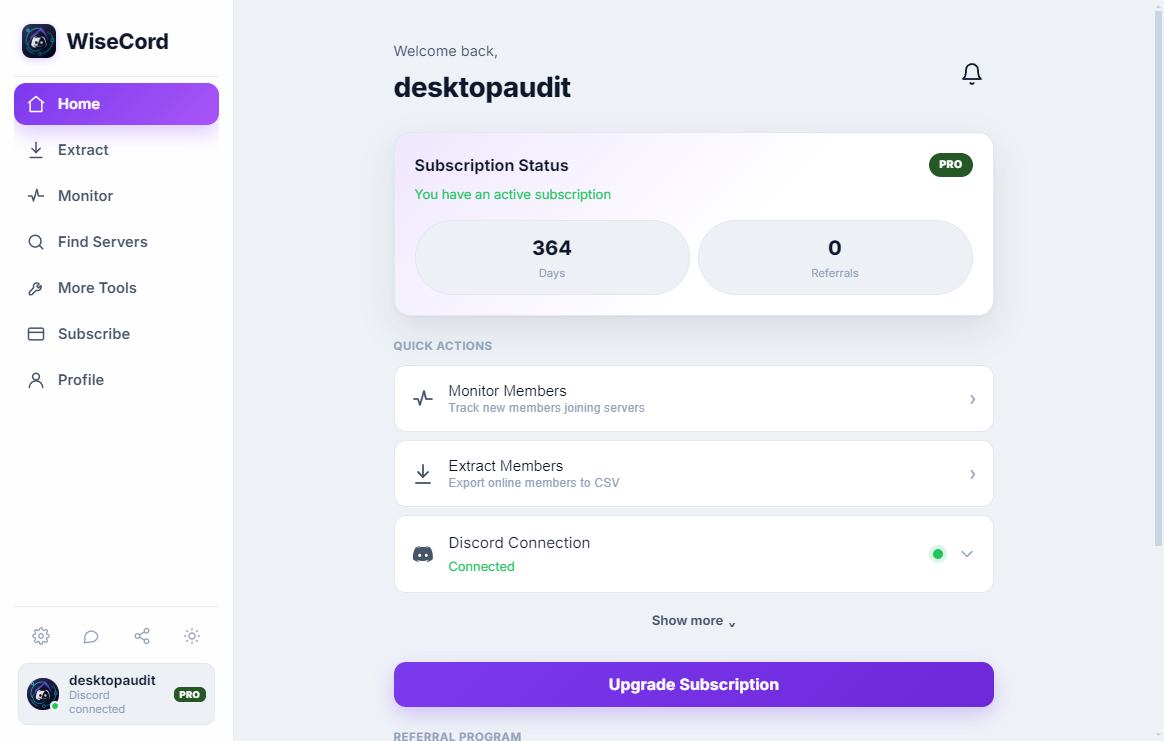
Open WiseCord and connect your Discord account. The app then loads every server you already belong to, so there's no separate search step. Treat your login details like a password — only enter them into apps you trust, and read our account safety tips before you start.
Step 3: Choose the server
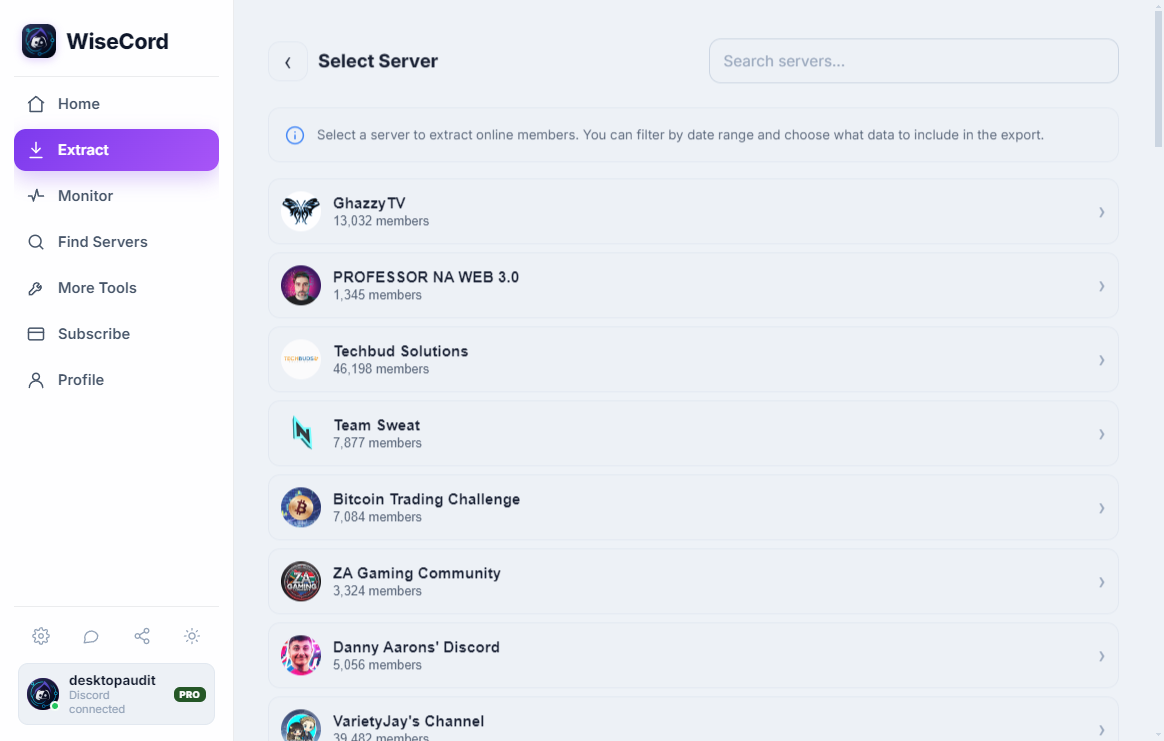
From your server list, tap the community you want to export. Larger servers will take longer to process in later steps, so if you're testing WiseCord for the first time, start with a smaller server to see how the flow works.
Step 4: Extract the members
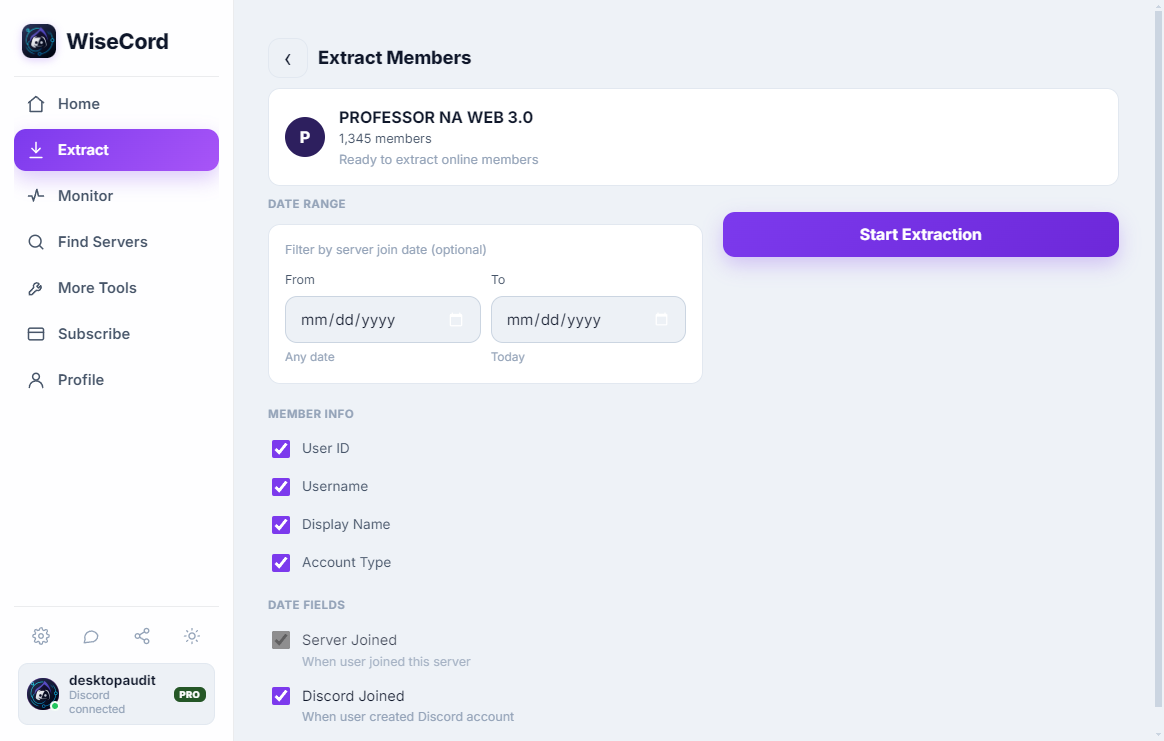
Tap Extract Members. WiseCord begins collecting the member list that's visible to your account, using a deliberately unhurried pace so it behaves like a normal client instead of hammering Discord with rapid requests. On big servers this can take a while — leave the screen open and let it finish. On Pro, cloud extraction handles very large servers more reliably.
Step 5: Export to Excel
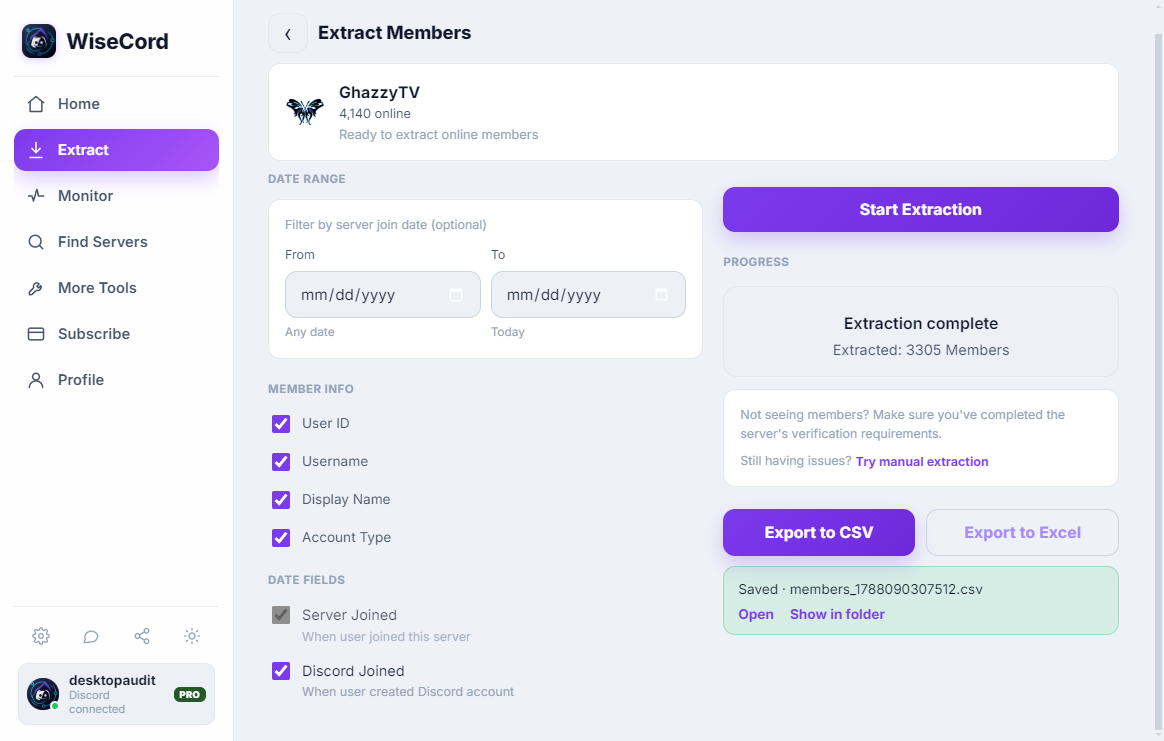
When extraction finishes, tap Export to Excel. WiseCord generates a formatted .xlsx file (CSV is also available if you prefer a lighter format for importing into other tools). Each member becomes a row, and each attribute becomes a column.
Step 6: Save or share the file
Choose where the file goes — save it to your device, push it to Google Drive, or share it straight to email or another app. From there, open it in Excel, Google Sheets, or Numbers and start sorting and filtering.
What's in the Exported File?

Each row is one member; the columns include:
- Username
- User ID (Discord's unique, permanent identifier)
- Nickname, if the member set one on that server
- Roles assigned in the server
- Join date — when they joined the server
- Account creation date — when their Discord account was made
The User ID is the most useful column for tracking: usernames and nicknames change, but the ID never does, so it's the reliable key when you compare two exports over time.
WiseCord vs Other Ways to Export Discord Members
There are several ways people try to get a member list out of Discord. Here's an honest comparison:
| Method | Speed | Excel-ready | Notes |
|---|---|---|---|
| WiseCord | Fast, one flow | Yes (.xlsx/CSV) | Mobile app, rate-limited, no coding |
| Manual copy-paste | Very slow | Manual formatting | Impractical beyond a handful of members |
| Browser extensions | Varies | Sometimes | Desktop only; often break when Discord updates |
| GitHub scripts / bots | Fast | If you code it | Technical setup; no safety guardrails |
| Discord bots (server-side) | Fast | Depends on bot | Requires admin/"Manage Server" on that server |
For a deeper breakdown of the tooling landscape, see our Discord member scraper tools comparison.
Tips for a Clean Export
- Extract during active hours. Discord surfaces online and recently-active members most reliably, so you'll capture more of the community when it's busy.
- Use Pro for large servers. Cloud extraction is steadier on big communities than doing it all on the phone — compare plans on the pricing page.
- Export on a cadence. Weekly or monthly exports let you diff files and measure real growth. See member extraction best practices.
- Keep the User ID column. It's your stable key for matching members across exports.
An Honest Note on Limits
WiseCord exports the members that are visible to your account — it can't reveal people Discord itself doesn't surface to you. Very large servers take longer because the app deliberately paces its requests to stay safe. And member extraction sits in a less-travelled path of Discord's Terms of Service; WiseCord's rate limiting is designed to reduce risk, but you should use it responsibly and understand the trade-offs (covered in the FAQ below).
Frequently Asked Questions
Will exporting members get my account banned?
WiseCord uses a deliberately unhurried pace so it behaves like a normal Discord client rather than a bot flooding the API, which is the behavior most likely to trigger action. That reduces risk but can't make it zero — automated interaction with Discord is a less-travelled path under their Terms of Service. Extract at a reasonable pace, avoid mass-DMing the people you export, and read our account safety guide.
Is exporting members against Discord's Terms of Service?
Discord's terms restrict automated access to the service, so tools that read data on your behalf live in a less-travelled path. WiseCord is built to work within normal client behavior and to pace its activity, but you're responsible for how you use the data. Don't use exported lists for spam or harassment.
What data does the export include?
Username, User ID, nickname, roles, join date, and account-creation date — one row per member. It does not include private information like email addresses or phone numbers; Discord doesn't expose those to other members.
Do I need the free or Pro plan to export?
Member export is a core feature and there's a free trial so you can try it first. Pro adds cloud extraction (better for very large servers) plus 24/7 monitoring and message search. Compare on the pricing page.
Can I export from a server I don't own?
Yes — you only need to be a member who can see the member list. You don't need to be the owner or have admin permissions, which is the main practical difference from server-side Discord bots.
Can I use WiseCord on a computer?
WiseCord runs on Windows, macOS and Android, but there is a native desktop app for Windows and macOS. The desktop download page explains how.
Conclusion
Exporting a Discord member list to Excel is a few taps with WiseCord: connect, pick a server, extract, and export to .xlsx or CSV. From there the data is yours to sort, track, and act on. Download WiseCord to run your first export, or explore the full feature set to see what else it can do.