WiseCord
Discord for Crypto & NFT Communities: Monitoring Best Practices
Monitoring a crypto or NFT Discord means watching three things: how fast the community is growing, how genuinely engaged members are, and whether the accounts joining are real people or freshly created bots. Discord gives you native tools for engagement, and a member-export app like WiseCord lets you pull the raw membership data (including each account's creation date) to spot sybil patterns and track growth over time. This guide is for project teams, moderators, and researchers doing due diligence.
Why Discord is the center of gravity for crypto and NFT projects
Almost every serious token, mint, or trading community runs its home base on Discord. It's where announcements land first, where holders get verified, where support happens, and where sentiment turns before it ever shows up on price charts. Because so much signal lives there, the health of a project's Discord is one of the earliest and most honest indicators of whether a project is alive, stalling, or being farmed by bots.
That makes monitoring valuable in two directions. If you run a community, you need to know your growth is real and your engaged core is intact. If you're evaluating a project before or after aping in, you want to separate a genuinely active community from a server padded with 40,000 accounts that have never sent a message.
What "monitoring" actually means (and which tool does which job)
There's no single dashboard that does everything, and any tool promising a magic "community health score" for someone else's server should be treated with suspicion. In practice, monitoring is stitched together from a few sources:
- Discord's own Server Insights — available to admins of Community-enabled servers. This gives you visitor counts, new member retention, message activity, and which channels people actually use. It only works for servers you administer.
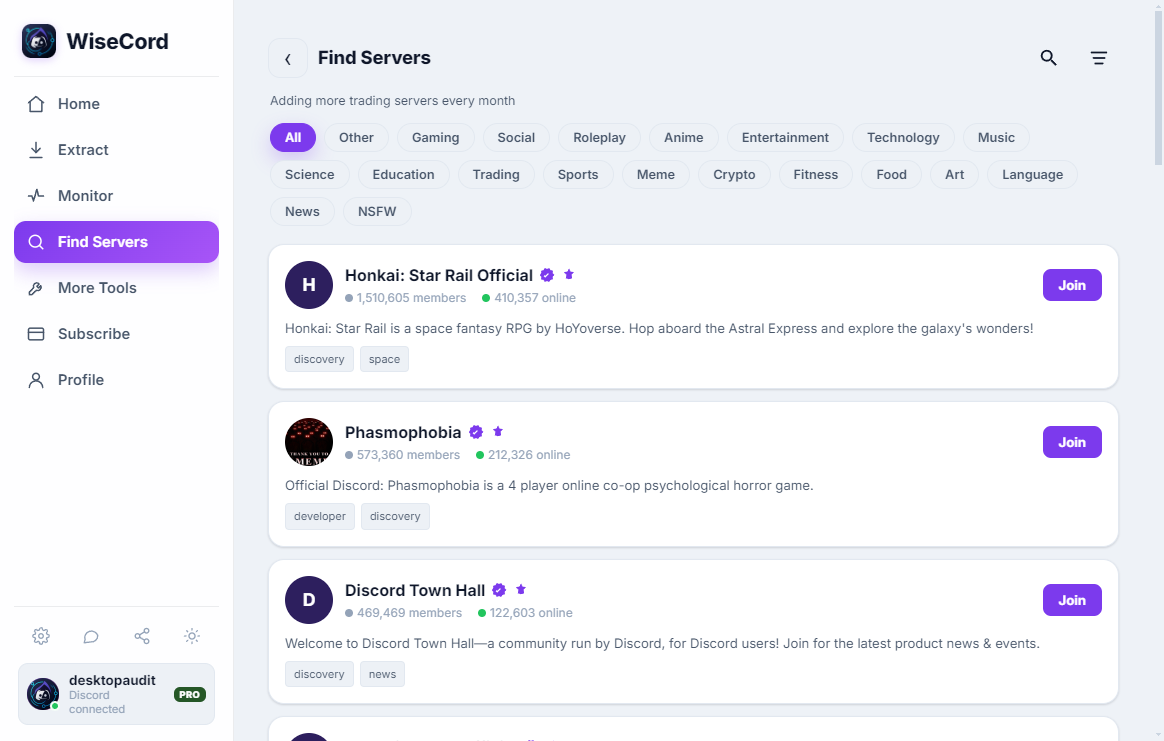
- Membership snapshots — exporting the member list at intervals so you can compare who joined, who left, and how old their accounts are. This is what WiseCord's member export is built for.
- Join velocity alerts — real-time notifications when people join, so a sudden spike (or a coordinated bot raid) reaches you immediately instead of the next time you happen to open the app.
- Manual observation — reading the general and announcement channels, watching how the team responds, and gauging tone. No tool replaces this.
For project teams: keeping your own community honest
Track real growth, not vanity numbers
Member count alone lies. A server can show 25,000 members while 90% never return after the mint. The useful signal is the shape of joins and leaves over time. With WiseCord you can export your member list to Excel or CSV on a regular cadence — say weekly — and diff the files to see net growth, churn after announcements, and whether a marketing push brought lasting members or a one-day bump that evaporated.
Each exported record includes username, user ID, nickname, roles, join date, and account-creation date. The roles column is especially useful for crypto servers: you can count how many members hold a "Verified Holder" role versus how many are unverified spectators, which is a far better health metric than the raw total.
Catch bot raids and sybil floods early
The account-creation date field is the quiet workhorse here. In a healthy community, join dates spread across a wide range of account ages. When you see a cluster of hundreds of members whose accounts were all created within the same 48-hour window, that's the fingerprint of a bot farm or a coordinated raid. Pairing periodic exports with real-time join alerts means you notice the flood as it happens rather than after the damage is done.
For investors and researchers: due diligence before you commit
Before allocating to a token or minting an NFT, the Discord tells you more than the whitepaper. You're a member of the public server anyway, so you can gauge the fundamentals directly:
- Is activity organic? Open Discord's member list — it shows online and recently active members by default. A 50,000-member server with 80 people online and a silent general chat is a warning sign.
- Are the accounts real? Export the membership you can see and look at account-creation dates. A community where a huge share of accounts are days old is often inflated.
- Is the team present? Check whether mods and founders answer hard questions or delete them. Responsiveness during a dip says everything.
- Does engagement survive announcements? Watch what happens to activity after a big reveal. Genuine communities keep talking; farmed ones go quiet the moment the incentive ends.
An honest caveat: any export tool, WiseCord included, can only see members visible to your account. Discord surfaces online and recently active members by default, and large servers take longer to enumerate because responsible tools rate-limit themselves to protect your account. Treat a snapshot as a representative sample, not a perfect census.
Comparing the ways to monitor a crypto/NFT Discord
| Approach | Best for | Limitations |
|---|---|---|
| Discord Server Insights | Engagement, retention, channel activity on servers you own | Admin-only; no data on projects you're merely researching |
| Manual copy-paste | A quick look at a handful of members | No account ages or roles; painful past a few dozen names |
| Server bots (MEE6, Statbot) | Live counts and leaderboards inside your own server | Must be invited with permissions; can't observe other projects |
| GitHub scrapers / bots | Fully custom data pulls | Technical setup; reckless ones ignore rate limits and risk your account |
| WiseCord (Android) | Member export with account ages/roles, join alerts, monitoring several servers | desktop and Android; sees members visible to your account; not a live analytics dashboard |
Practical tips for monitoring crypto/NFT servers
- Export on a schedule. A weekly snapshot is far more revealing than a single one — trends only appear when you can compare files.
- Sort by account-creation date first. It's the fastest way to surface suspicious clusters of new accounts.
- Count roles, not members. Verified-holder counts and staff roles tell you more about real value than the headline total.
- Use join alerts as a raid alarm. An abnormal burst of joins outside a scheduled event usually means bots.
- Protect your account. Stick to tools that respect Discord's normal client behavior and rate-limit themselves; see our account safety tips before running any extraction.
- Combine sources. Pair export data with Discord's native member list and your own reading of the channels — no single number is the whole story.
Frequently asked questions
Will exporting a crypto server's member list get my Discord account banned?
The risk comes from tools that hammer Discord with aggressive, unnatural request patterns. WiseCord is designed to work within normal client behavior and applies a deliberately unhurried pace, which is why large servers take longer to enumerate — it's deliberately pacing itself to keep your account safe. As with any third-party tool, use good judgment, avoid running back-to-back bulk pulls, and read our safety guidance first.
What member data can I actually see for a project I don't run?
You can export the members visible to your account, which for most public servers means online and recently active users plus anyone Discord surfaces in the list. For each you get username, user ID, nickname, roles, join date, and account-creation date. You won't get private admin analytics or hidden members — only Discord's own Server Insights, available to that server's admins, provides those.
Can WiseCord tell me a project's sentiment or give it a health score?
No, and be wary of anything that claims to. WiseCord provides raw membership data and join alerts; it does not read chat sentiment or generate a health rating. Interpreting whether a community is healthy is your job — the data (account ages, role counts, join velocity, churn between exports) informs that judgment, but the conclusion is yours.
Is monitoring someone else's Discord against the rules?
Reading a public server you've joined and noting how active it is is ordinary community research. Automated data extraction sits in a less-travelled path under Discord's terms, so the responsible approach is to only pull data from servers you're legitimately a member of, keep request rates gentle, and avoid republishing personal data. Use the information for your own decisions, not to harass or dox members.
Do I need the paid plan for this?
Member export and join alerts are core features. The Pro tier adds 24/7 cloud monitoring — which keeps tracking joins even when the app is closed or your phone is off — plus message search, both of which are genuinely useful if you're watching several fast-moving projects at once. There's a free trial, and you can compare tiers on the pricing page.
Which platforms does it run on?
WiseCord runs natively on Windows and macOS, with an Android build installed via direct APK (a VirusTotal scan is linked on the download page). For the crypto/NFT use case that suits the work well, since most monitoring is quick snapshot and alert work rather than desktop analysis.
Bringing it together
In a space that moves as fast as crypto and NFTs, the community usually turns before the chart does. Whether you're defending your own server against bot floods or vetting a project before you commit capital, the same discipline applies: watch growth over time, check account ages, count real roles, and stay alert to abnormal joins. Discord's native tools handle engagement on servers you own, and WiseCord fills the membership-data gap with exports and alerts. See more community scenarios on our use cases page, and if lead generation is part of your goal, our guide to Discord marketing and lead generation pairs well with everything here.