WiseCord
Find Discord Servers Easily with WiseCord's Server Discovery
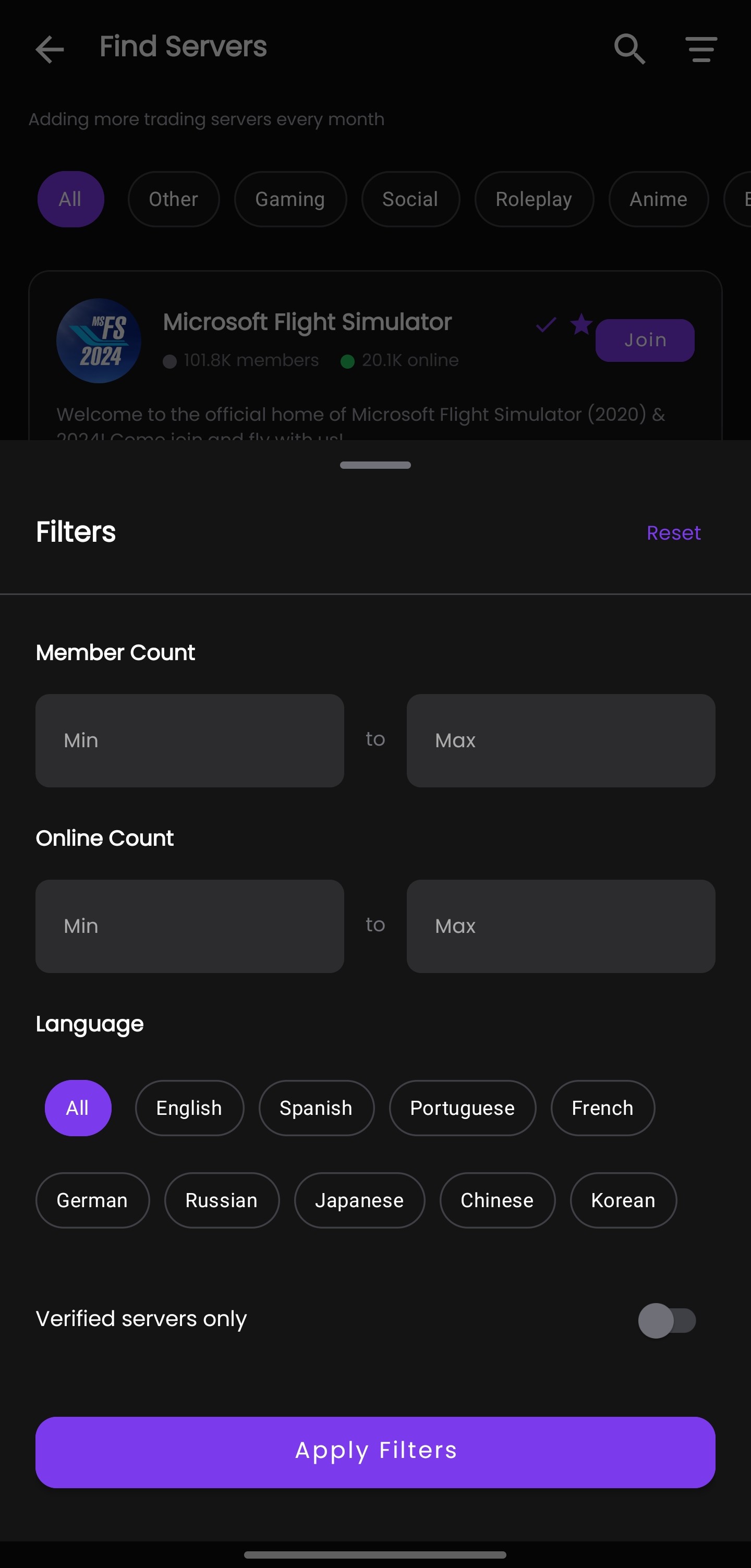
The fastest way to find new Discord servers is to combine a discovery directory with in-app browsing by category: instead of typing invite links you hope still work, you search a curated index by topic and preview each community before you join. WiseCord builds this directly into its Android app, so paid-community operators and everyday members can browse servers across crypto, forex, gaming, and education without leaving the tool they already use to monitor them.
This guide explains how Discord discovery actually works, how WiseCord's built-in Server Discovery fits alongside Discord's own tools, and how to vet a server before you commit to joining it.
Why finding good Discord servers is harder than it looks
Discord was designed around invitations, not search. For years the only way into a server was a link someone handed you, and those links expire, get revoked, or lead to dead communities. Discord later added its own Server Discovery tab, but it only lists servers that meet eligibility requirements (a minimum member count, Community features enabled, and a clean moderation record), so a huge share of active niche communities never appear there at all.
That leaves most people bouncing between third-party directories, Reddit threads, and Twitter/X posts, copying invite links and hoping they still resolve. It works, but it is slow, and it gives you almost no way to judge a server's quality before you are already inside it. The goal of good discovery is to shorten that loop: find relevant communities by topic, see enough context to judge them, and join only the ones worth your time.
What WiseCord's Server Discovery does
Server Discovery is a feature built into the WiseCord app that lets you browse and find Discord servers organized by category, without opening a separate website. It is aimed squarely at the audiences WiseCord serves — operators running crypto and trading-signal groups, forex and stock communities, coaching and education servers, gaming groups, and general community managers who want to keep discovery, monitoring, and member tools in one place.
The practical advantage is continuity. If you run or research paid communities, the same app you use to track joins and export members is also where you find new servers, so you are not juggling three browser tabs and a notes file. You browse by category, open a server to read its details, and if it looks worthwhile you join and start monitoring it.
Categories you can browse
- Trading & finance: cryptocurrency, DeFi, forex, stock-market, and NFT communities — the niches where signal groups and paid rooms concentrate.
- Gaming: game-specific servers, esports and tournament hubs, and looking-for-group communities.
- Education & learning: programming, language learning, study groups, and skill-building servers.
- Community & social: general hangouts, music, art and creative spaces, and regional communities.
Ways to find Discord servers, compared
WiseCord's in-app browsing is one route, and it is worth understanding how it sits next to the other common methods so you can use the right one for the job. Here is an honest comparison.
| Method | Best for | Pros | Cons |
|---|---|---|---|
| WiseCord in-app discovery | Operators who also monitor servers | Browse by category on mobile; find, join, and monitor in one app; strong on finance/trading niches | Android app, not a website; index is a selection, not all of Discord |
| Discord Server Discovery (built in) | Large, established communities | Native, no third-party tools; vetted by Discord's requirements | Only shows eligible servers; most small/niche groups are absent |
| Disboard | Broad keyword and tag search | Huge index; tag-based; free web access | "Bump" ranking rewards active posters, not necessarily quality |
| Top.gg / Discadia / Discord.me | Bots and popular servers | Well-known directories; member counts and reviews shown | Listings can be stale; quality varies widely by category |
| Reddit, X, word of mouth | Trust-based referrals | Real recommendations from people you follow | Unstructured; invite links expire; easy to miss niches |
None of these is strictly "best" — they overlap. A realistic workflow uses two or three: browse by category in WiseCord for finance and trading niches, cross-check a directory like Disboard for breadth, and rely on trusted referrals for the communities that never get listed anywhere. For a deeper walkthrough of directory search, see our guide on how to find new Discord servers.
How to use WiseCord Server Discovery
The flow is short by design. Here is what to expect at each step.
Step 1: Open WiseCord and go to Discovery
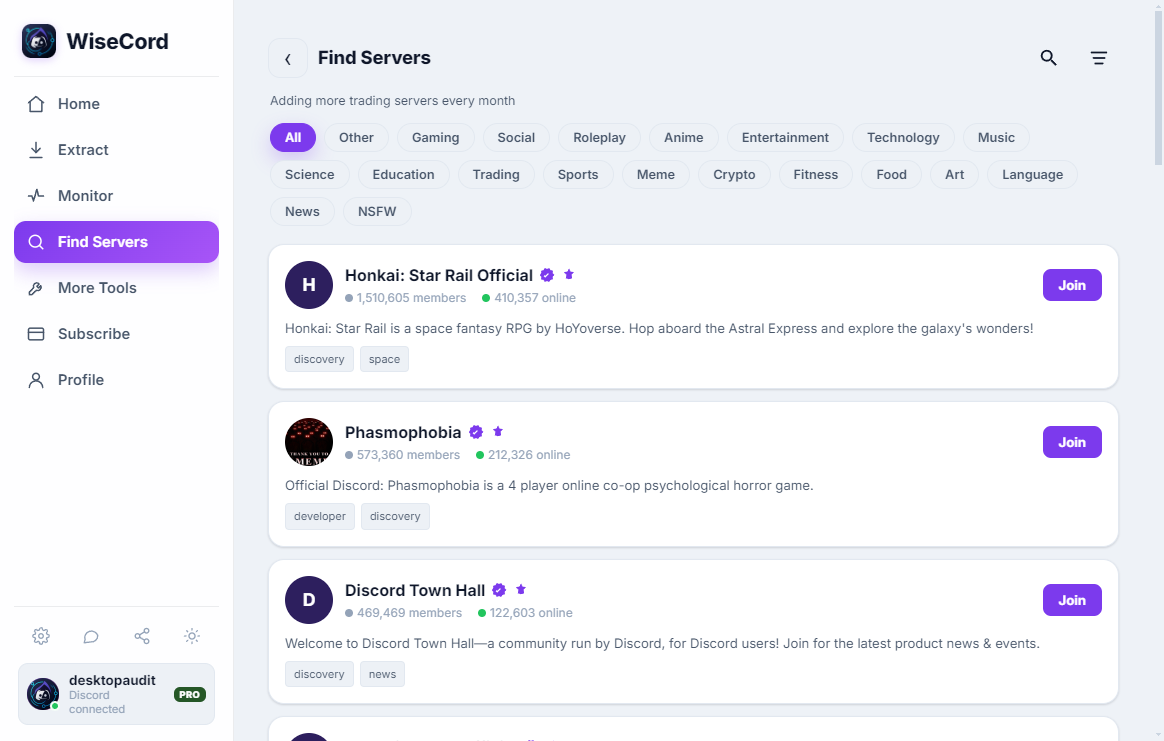
Launch the app on your Android device and tap the "Find Servers" (or "Discover") option in the menu. This opens the category-organized index rather than your monitored-servers list.
Step 2: Browse a category or search a keyword
Pick a category — crypto, forex, gaming, education, and so on — or type a keyword that matches your interest. Being specific pays off: "solana trading" surfaces far more relevant results than "crypto" alone, because broad terms return large, generic servers that may not match what you actually need.
Step 3: Preview the server details
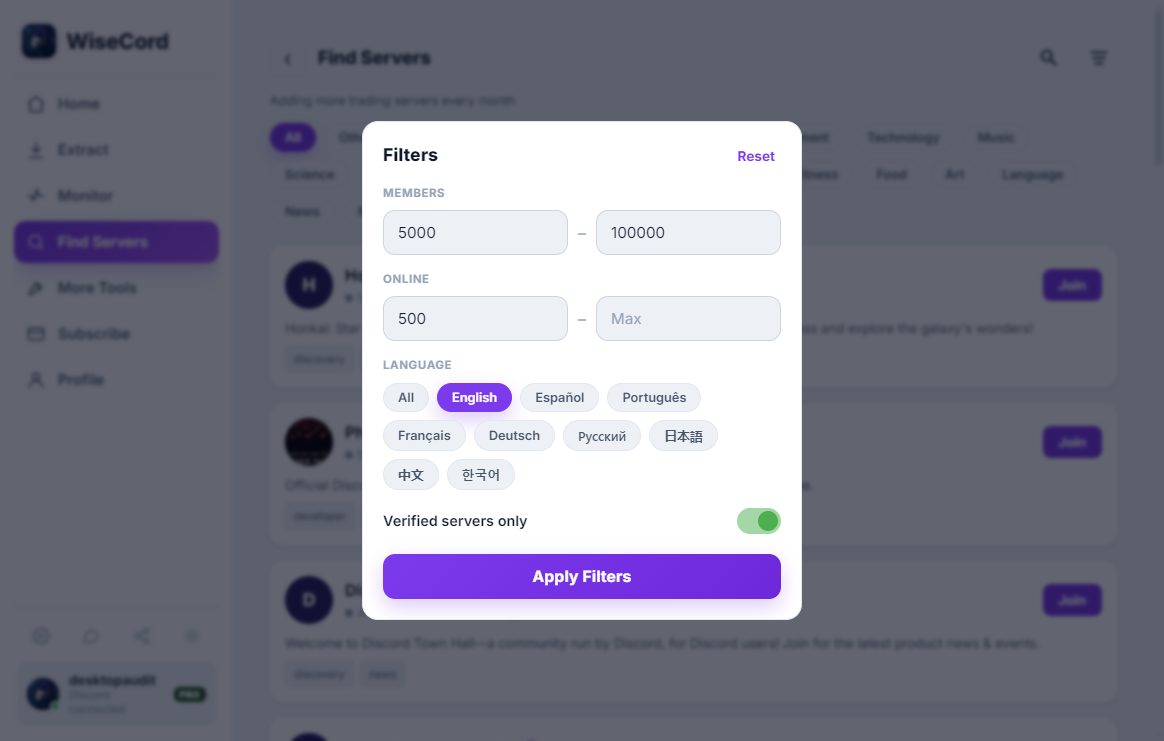
Open a listing to read its name, description, and category before you commit. Treat the description as a first filter: a clear, specific description usually signals an organized community, while a vague one-liner is a reason to keep scrolling.
Step 4: Join, then monitor
Found a server worth joining? Join it, and — if you manage communities — add it to your WiseCord monitoring so you receive real-time join alerts and can keep an eye on growth over time. This is where discovery and monitoring connect: the same server you just found becomes one you can track 24/7.

How to vet a Discord server before you join
Discovery is only half the job. A directory listing tells you a server exists; it does not tell you whether the community is healthy, active, or safe. Before you invest time — or worse, money in a paid room — run through a quick checklist:
- Check recent activity, not just member count. A server with 20,000 members and no messages in the last day is effectively dead. High member counts often correlate with activity, but confirm it in the channels rather than trusting the number.
- Read the rules and the pinned messages. Well-run servers spell out expectations and have real moderation. An empty rules channel is a warning sign.
- Be skeptical of guaranteed-returns claims. In finance and trading niches especially, any server promising guaranteed profits or pressuring you to pay immediately deserves caution. Legitimate communities let you observe before you commit.
- Watch for mass-DM and scam patterns. If you are messaged the moment you join by "support" or "an admin" asking for a wallet connection or payment, leave. Real admins rarely DM new members first.
If you operate communities yourself, the same signals matter in reverse — the servers you discover are also competitors and reference points. Our notes on account safety cover how to stay protected while exploring unfamiliar servers.
Turning discovery into an operator workflow
For most people, finding a server is the end of the story. For community operators it is the beginning. Once you have discovered and joined the servers that matter in your niche, WiseCord's other tools take over: you can watch who joins in real time, keep tracking those servers around the clock even when the app is closed with 24/7 cloud monitoring, and export a server's visible member list to Excel or CSV for outreach and record-keeping.
Worth being clear about the limits here: WiseCord works with the members visible to your own account, and Discord shows online or recent members by default, so very large servers take longer to process because the app deliberately rate-limits itself for account safety. Discovery gets you into the right rooms; the monitoring and export features help you understand and grow them responsibly. If you are running signal groups or trading communities, our overview of Discord for crypto and NFT communities shows how these pieces fit together.
Frequently asked questions
Is WiseCord's Server Discovery a website or an app?
It is a feature inside the WiseCord app, not a standalone website. You browse servers by category directly in the app, which means discovery lives alongside your monitoring and member-export tools instead of in a separate browser tab. WiseCord is distributed as a direct APK download rather than through the Play Store.
Does WiseCord list every Discord server?
No, and no discovery tool does. Discord's own Server Discovery only shows servers that meet its eligibility rules, and third-party directories index the servers that choose to list themselves. WiseCord's discovery is a curated selection organized by category, strongest in the finance, trading, gaming, and education niches its users care about. For maximum breadth, pair it with a large web directory.
Is it safe to join servers I find through discovery?
Joining a server is safe; the risk comes from what you do once inside. Vet each community before engaging — check recent activity, read the rules, and be cautious with any server that promises guaranteed returns or pressures you to pay quickly. Never connect a wallet or send money in response to an unsolicited DM, no matter how official the sender looks.
Can I monitor a server right after I discover it?
Yes. That is the core reason discovery is built into WiseCord rather than left to separate sites. Once you join a server you found, you can add it to your monitoring list and start receiving real-time join alerts, with Pro plans adding 24/7 cloud monitoring and message search so tracking continues even when your phone is off.
What does it cost?
WiseCord offers a free trial, and paid plans start at $16/month (Basic), with Pro at $25/month and discounted 6-month and 1-year Pro options. Server Discovery is part of the app; the paid tiers unlock the heavier monitoring and search features. See the pricing page for the current breakdown.
Is using discovery and monitoring against Discord's rules?
WiseCord is designed to operate within normal Discord client behavior and includes a deliberately unhurried pace for account safety rather than trying to bypass Discord's limits. As with any tool, you are responsible for using it in line with Discord's Terms of Service and the rules of the servers you join. Keep your activity reasonable and respect each community's guidelines.
Start discovering
Whether you are hunting for a crypto trading room, a study group, or a gaming community, the winning approach is the same: search by topic, preview before you join, and vet the community before you invest time or money. WiseCord folds that discovery step into the same app you use to monitor and manage servers, so the moment you find something worthwhile you can act on it. Download WiseCord to browse servers by category and start exploring, or read getting started with WiseCord to see how discovery, alerts, and member export work together.